
There's a quick and easy way to set up email on your iPhone or iPad. On the device you wish to set up mail:
Auto-Configuration
- Head to Manage Hosting > Options > Manage.
- Select Email Accounts.
- Select Options > Account Setup.
- You'll then see the Download iOS Mobile Profile button, select this to download the correct information to your iPhone to set up your email account.
- Review and install the profile on your phone, you'll need to enter your mailbox password to complete the setup.
Manual Configuration
To set up your Alttrixcloud mailbox on an Apple iPhone or iPad, you need to:
- Head to the Settings icon and locate the Mail option.
- Go to Accounts.
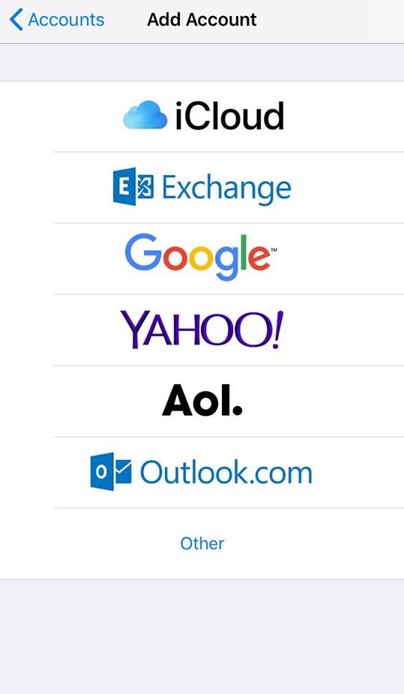
- Then select 'Add Account'.
- Select Other from this list.
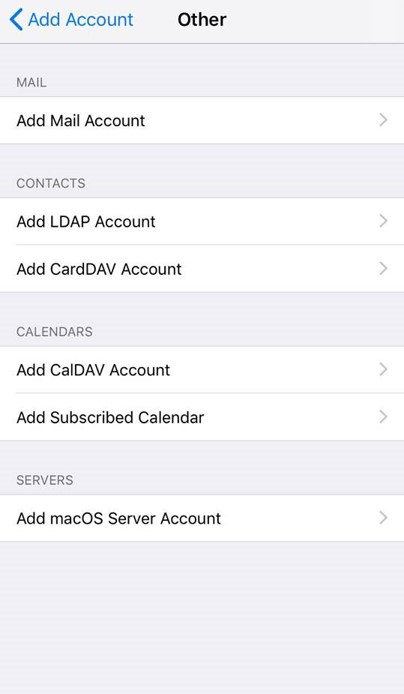
- Select Add Mail Account.
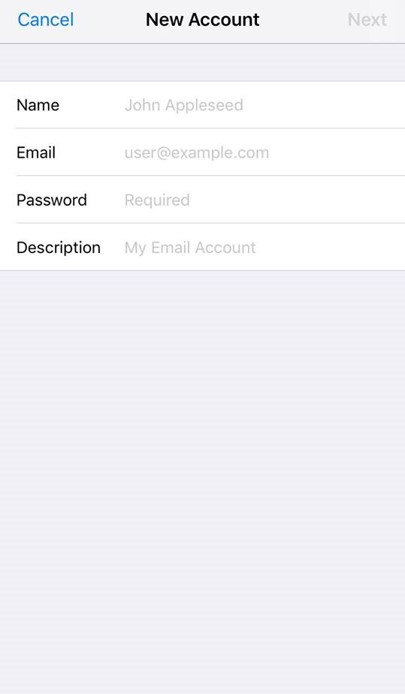
- Input the information requested:
Name: Anything
Email: example@yourdomain.com
Password: Mailbox Password
Description: Work, Business...etc
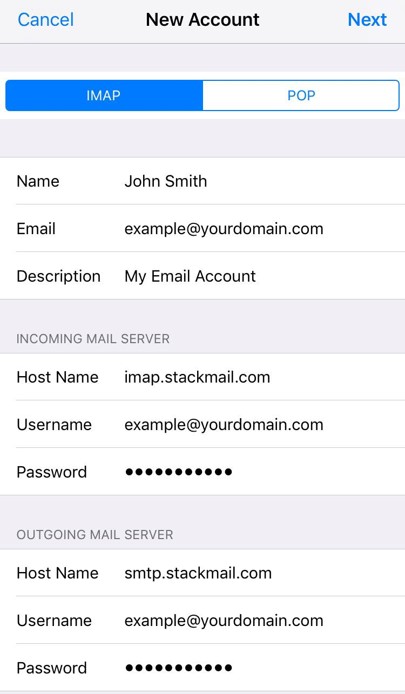
IMAP:
Incoming Mail Server
Host Name: imap.stackmail.com
Username: example@yourdomain.com
Password: Mailbox Password
Outgoing Mail Server
Host Name: smtp.stackmail.com
Username: example@yourdomain.com
Password: Mailbox Password
- Finally, select the mail account and go into the Outgoing Mail Server settings. Select Primary Server, make sure SSL is switched on and the port is set to 587.
Click here for our guide to set up email with Outlook.
